Stellar Designer
Define Any Robot. Perfectly.
Define and verify any robot kinematics in your browser.A controller-integrated environment with seamless configuration flow from design to motion.
The New Standard for Robot Design
Most controllers lock you into fixed hardware–software ecosystems.
 Stellar Designer is the unchained alternative — define any kinematic structure directly in your browser and move to verified motion without manual rework.
Unrestricted Design Freedom
Define 1–7 axes freely, regardless of specific robot models or vendor limitations. No more fixed templates or extra licensing costs.
Zero-Friction Accessibility
Run Stellar Designer directly in your browser. No installations, no complex setup, just pure design.
Seamless Design-to-Motion Flow
Move seamlessly into Motion Studio with all verified configurations preserved — ensuring consistency and efficiency from concept to execution.
Define any robot in one place.
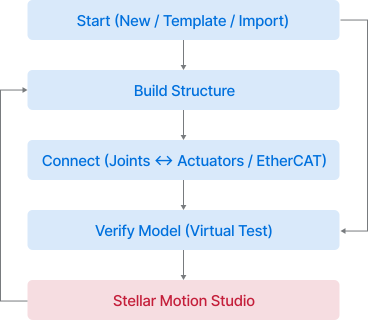
Structure, mapping, and verification combined in one seamless browser-native workflow.

Beyond Traditional Controllers

Traditional controllers limit flexibility and slow down development.Stellar Designer brings speed, openness, and simplicity to modern robot design.
Traditional Controller
Stellar Designer
Flexibility
Locked to specific robot models
Define 1–7 axes freely, independent of manufacturer
Licensing
Extra cost for additional axes or licenses
All joints supported without add-ons or fees
Installation
Complex local installs, version conflicts
Runs directly in your web browser
Easy of use
Engineer-centric, steep learning curve
Intuitive UI and modern design-tool experience
Testing
Validation mostly on real hardware
Virtual verification before deployment — faster and safer
Start
Start fast.
Create a new robot from scratch, use templates, or import existing projects—all within a few clicks.
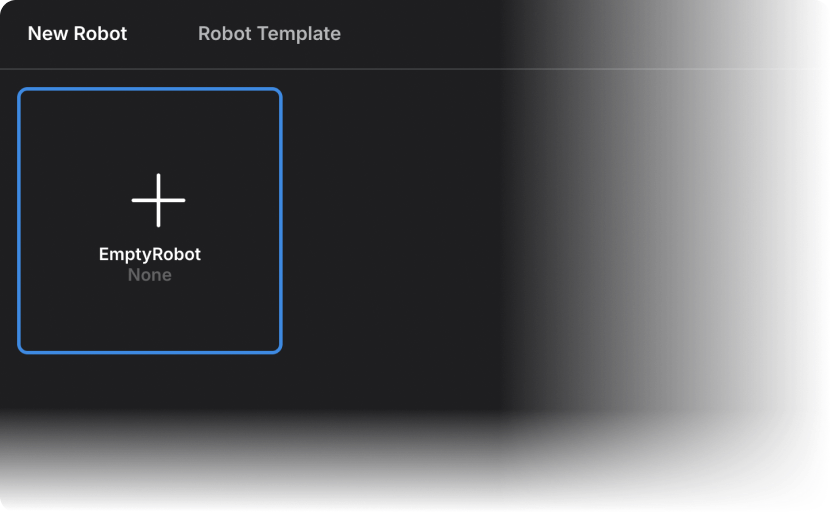
Start a New Robot
Open a blank workspace, ready to define your robot from scratch.

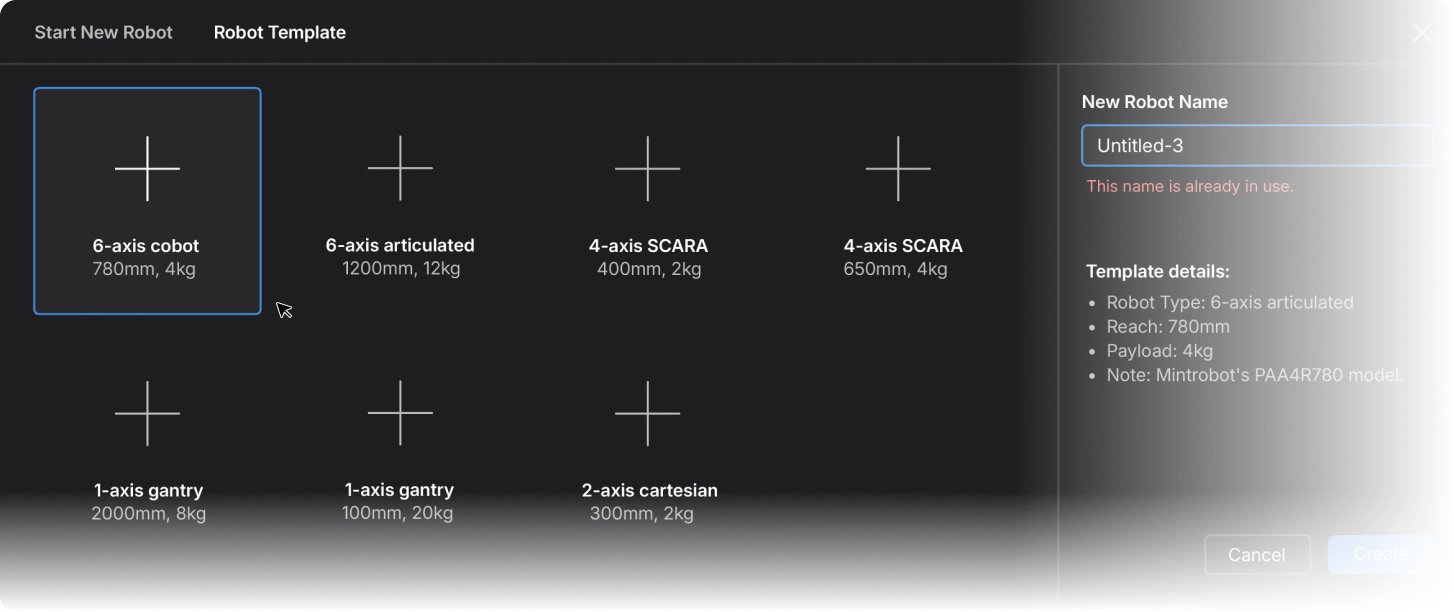
Use Templates
Start from editable presets you can modify
anytime—no need to build from scratch.
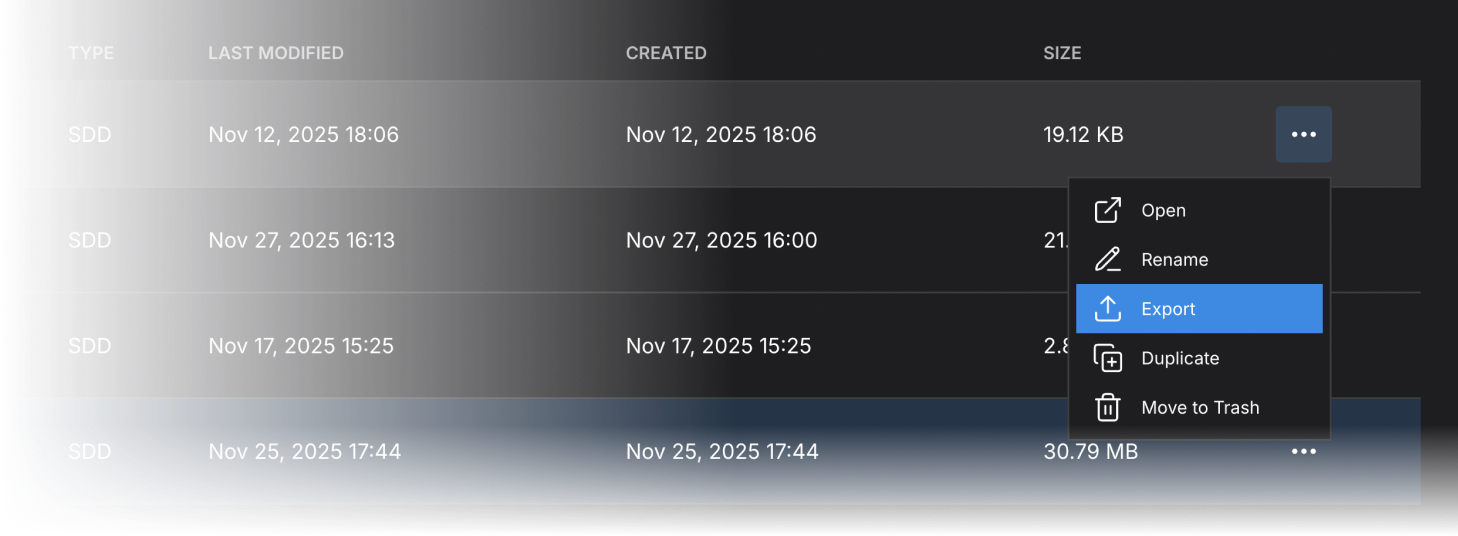
Import & Export
Import or export Stellar project files to share, reuse, or continue projects across environments.
Build
Shape your robot.
Define joints, set kinematics, and see the structure come alive in 3D.
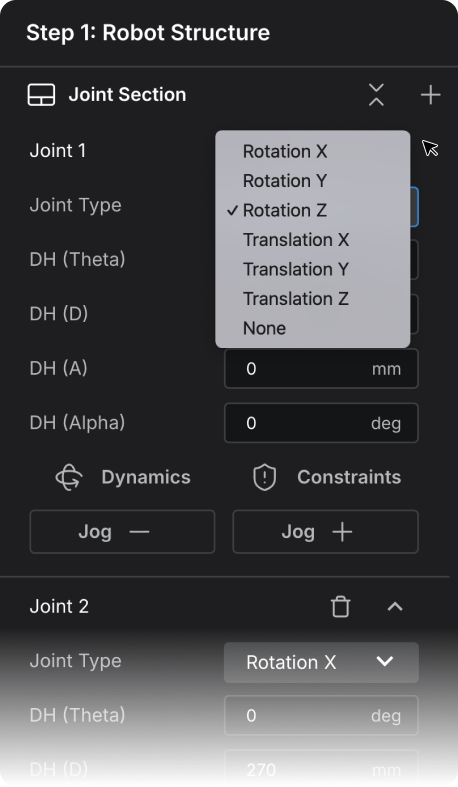
Joint setup
Create up to 7 joints, choose joint types, and define the
kinematic chain with DH.
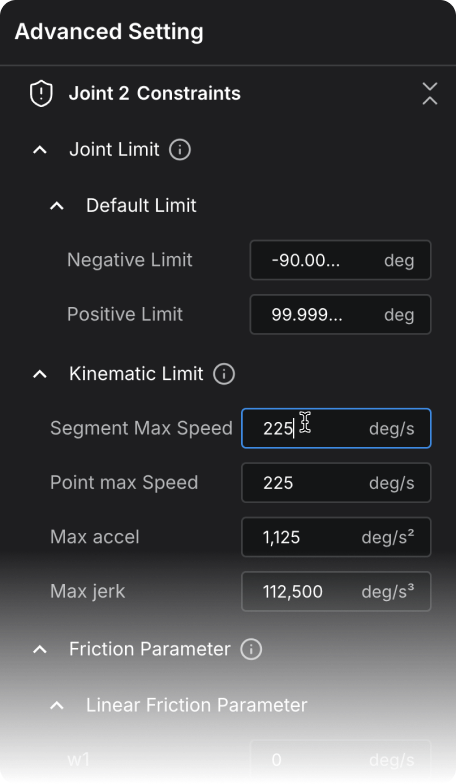
Advanced settings
Set per-link inertia, joint limits, friction, and collision
thresholds in one place.
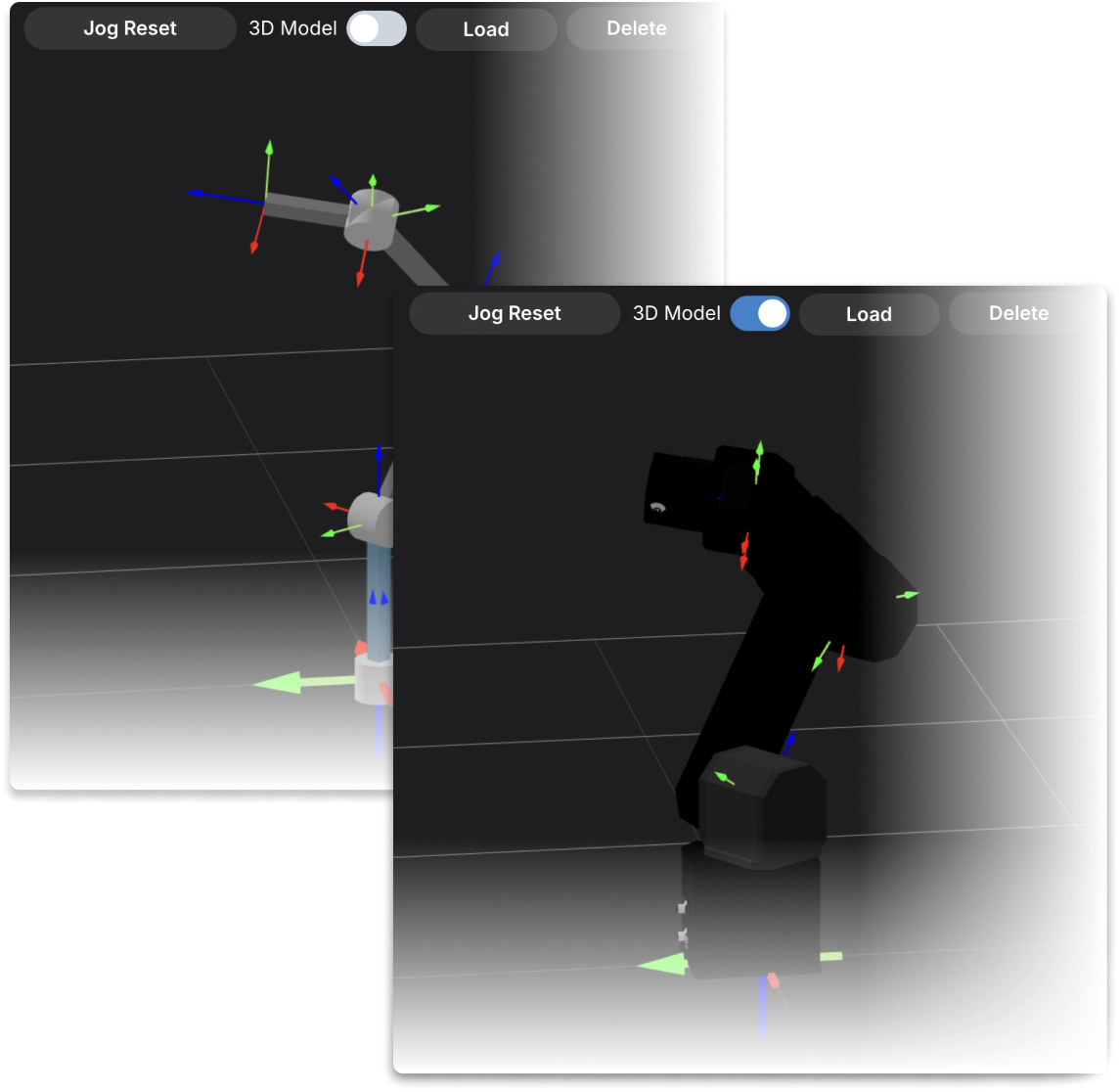
3D model overlay
Import your robot mesh to visualize the complete structure in 3D.
Connect
Bring joints to life.
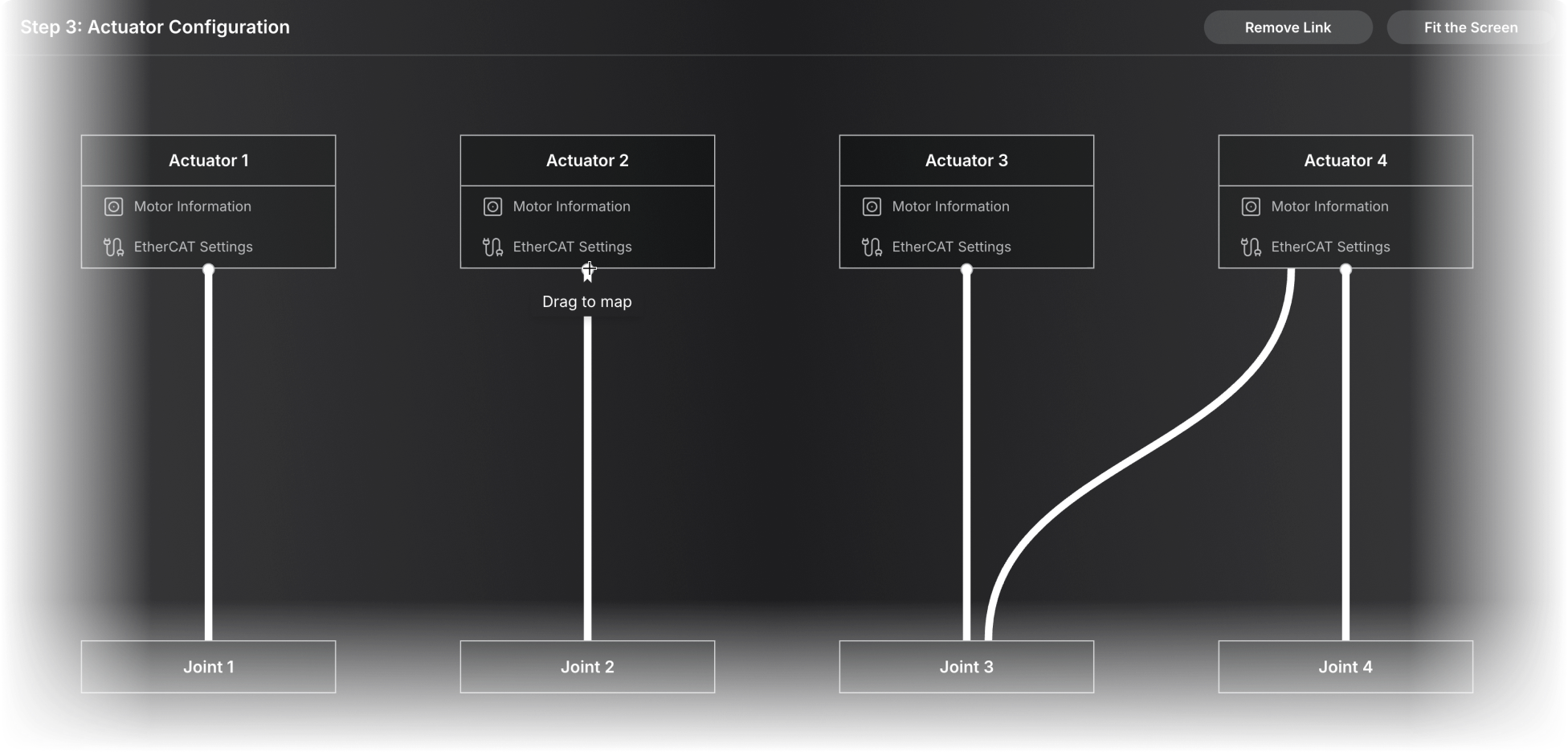
Map joints, actuators, and EtherCAT communication—all in one structured, visual workflow.
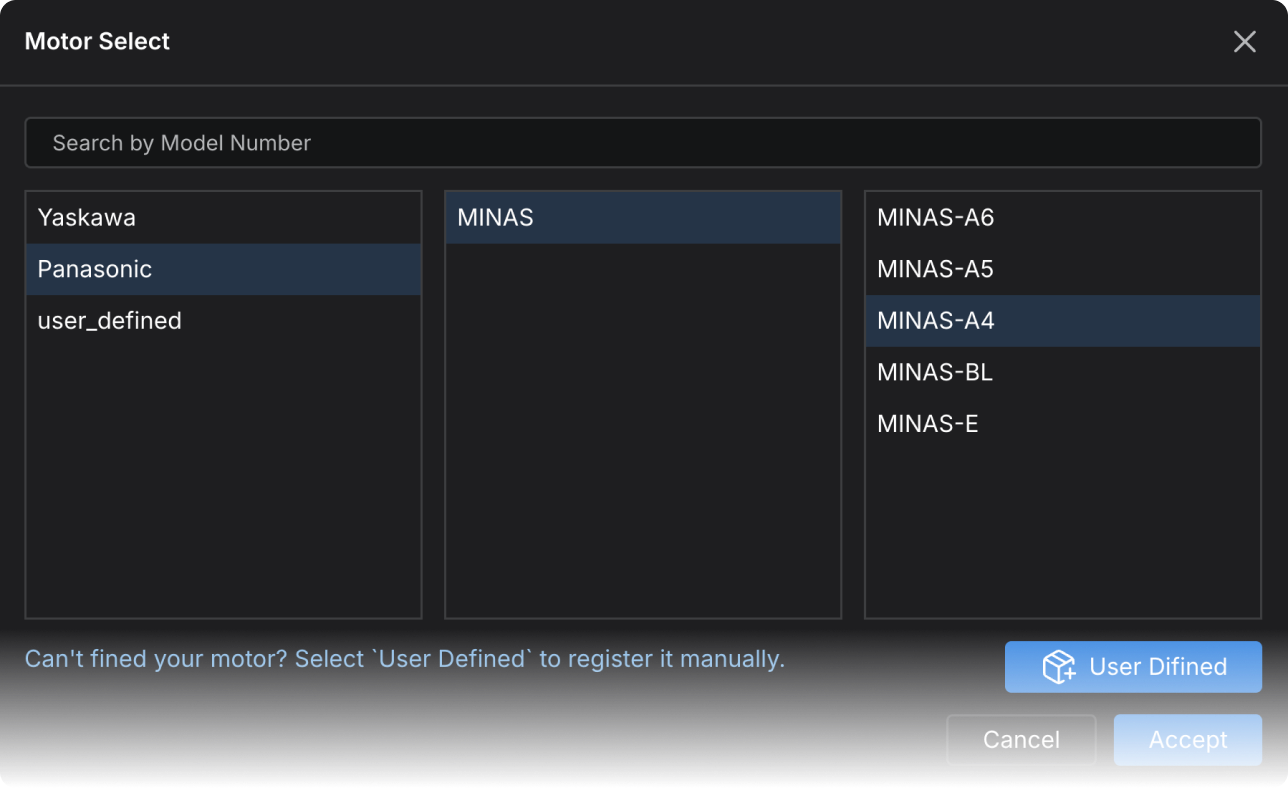
Motor preset library
Use built-in motor presets or enter torque, speed, and other parameters manually.
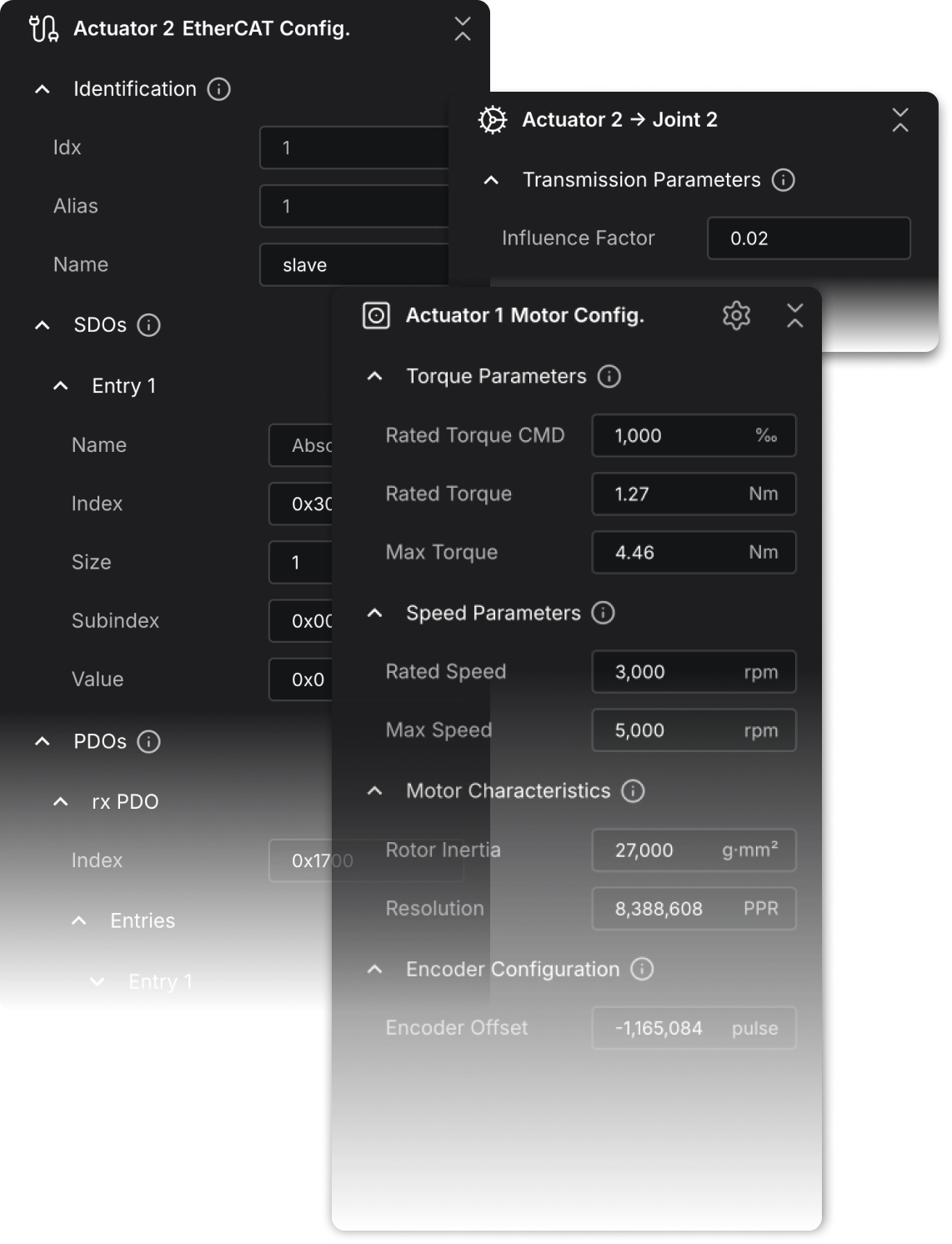
Actuator Configuration
Configure EtherCAT communication, motor parameters, and joint transmission settings for each actuator.
Drag mapping
Visually connect joints and actuators through an intuitive drag-and-drop interface, making it effortless to build accurate mappings and configure the transmission flow of your robot.
Verify and Test
Test like it’s real.
Validate parameters, jog virtually with real-hardware methods, and send your confirmed setup directly into Stellar Motion Studio.
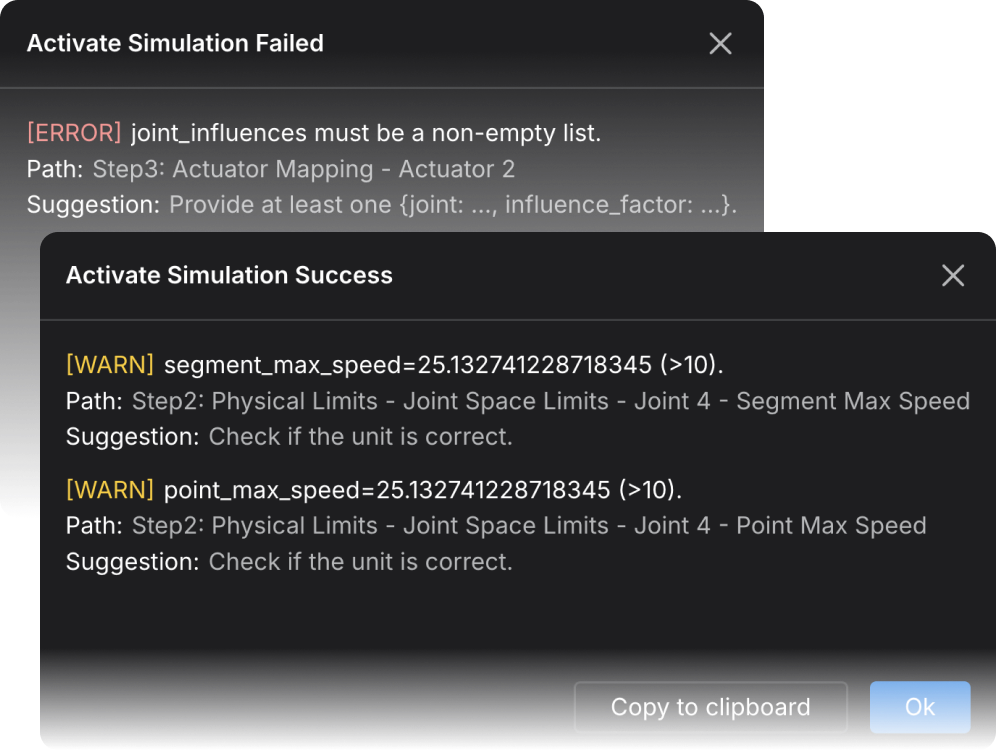
Smart Parameter Check
Automatically validates masses, limits, and dynamics parameters, highlighting any out-of-range or inconsistent values with clear visual feedback.
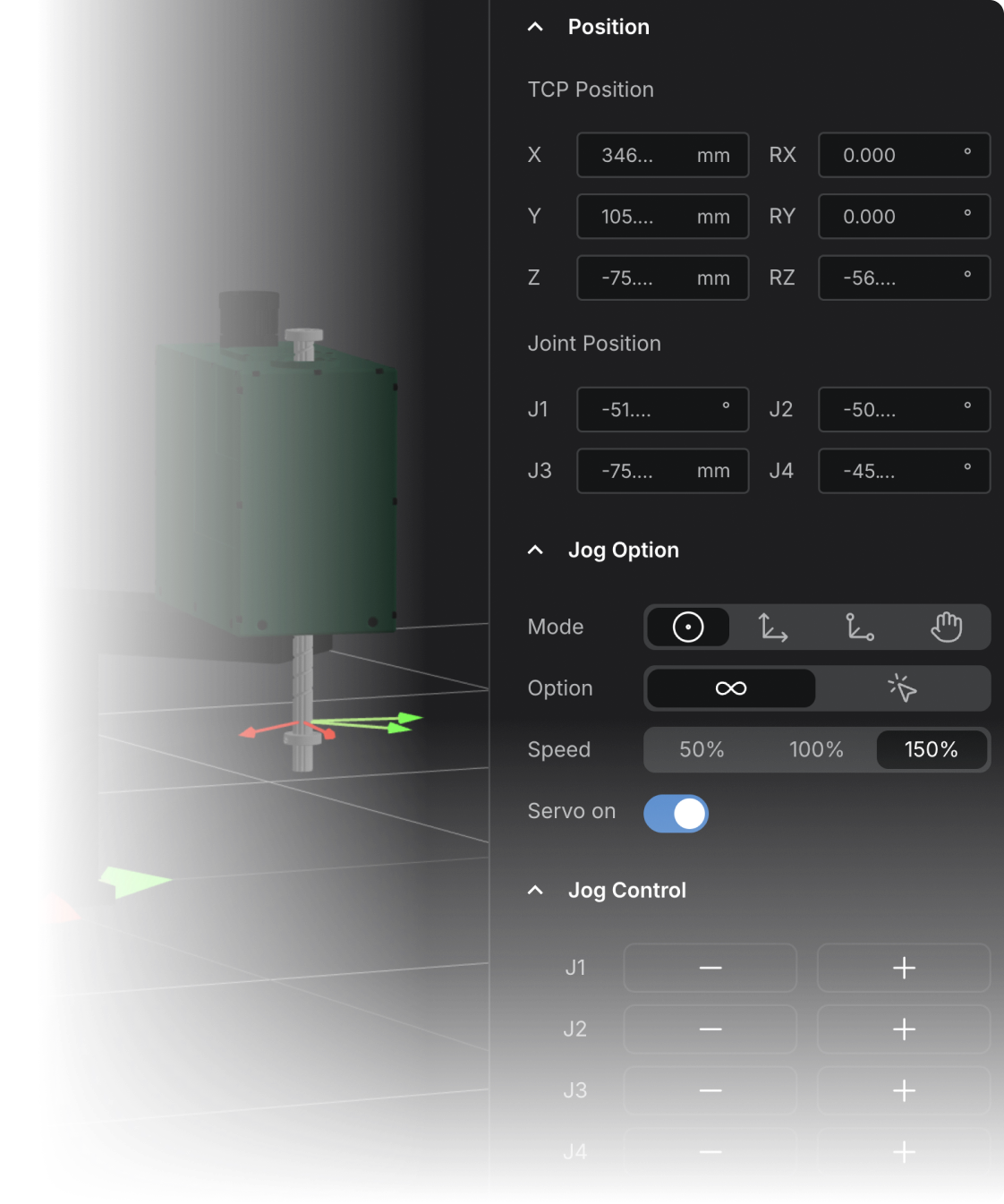
Virtual jog
Test movements using the same jog methods as real hardware, with real-time position and joint feedback.
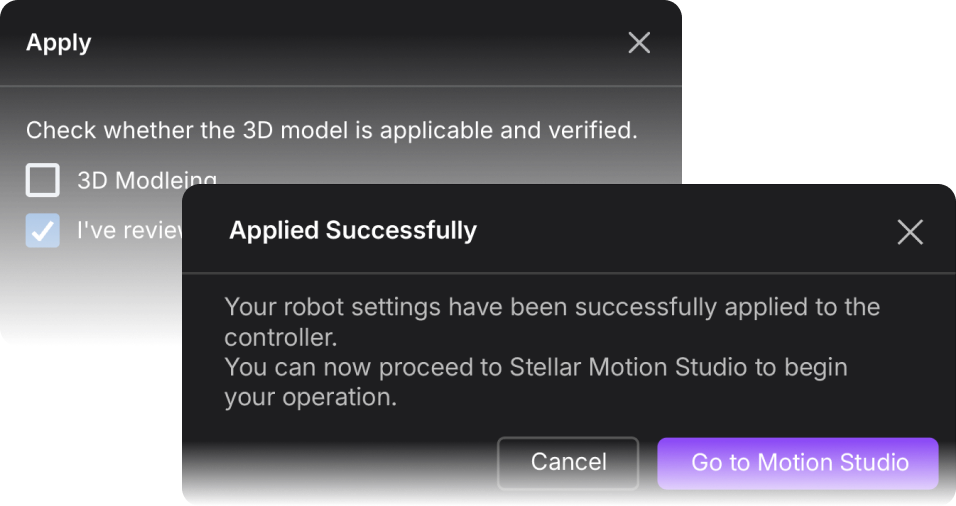
Apply to controller
Send your verified setup to the controller and move directly into Motion Studio with full continuity.
Always up to date. Always free.
As long as you’re connected to Wi-Fi, Stellar keeps evolving with new features, improvements, and performance upgrades at no additional cost.
Download Updates
8.4MB/s
Start building motion
Verified setups carry over seamlessly open Motion Studio and begin creating immediately.
Build once. Move everywhere.